
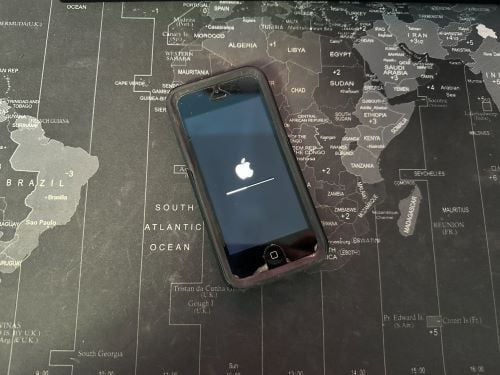
Image: Max McCaskill
When an iPhone ages out of new iOS versions, nothing breaks all at once. Instead, your iPhone slowly stops working properly and becomes vulnerable to threats. Apps you rely on start failing, software updates stop arriving, and hackers exploit gaps in your device's security to get at your most important data.
Apple's own security guidance notes that devices running outdated iOS versions are more exposed to exploits and security threats than its newer devices. That means holding on to your old iPhone that's running outdated software is actively threatening your personal data.
Here's how to know if your iPhone can no longer get the newest iOS updates and why it's dangerous to use old versions of iOS. We'll also talk about how you can tell when it's time to finally upgrade your iPhone.
Why does my iPhone say it can't update anymore?
Apple offers a longer software support window than almost any other smartphone company, but that window isn't infinite. It constantly releases more powerful versions of its software and programs across its devices. Once your iPhone's processor chip can't handle the demands of a new iOS release, Apple drops it from the compatibility list.
When your iPhone ages out of iOS updates, you may not notice any major changes. In the beginning, your iPhone will simply stop receiving updates, which can make you think that your device is fully updated when it isn't.
Your iPhone will show "iOS is up to date" whether you're actually on the newest version of iOS or just the newest version your hardware can run. Your only clue that something is wrong may be an outdated iOS alert from Apple on your notification screen, or if you've checked what the latest iOS version is and realized your iPhone isn't running it. Unfortunately, once Apple drops iOS support, your iPhone is largely at the end of its useful life.
Is it safe to use an iPhone that no longer gets updates?
It's not safe to continue using an iPhone that no longer gets iOS updates. While you may love your old iPhone—or don't want to pay for a new one—keeping it can expose your data to threats or even risk losing it if the device is corrupted.
The good news is not every old iPhone is truly at risk. If your iPhone is still receiving periodic security patches, you can continue using it even if it doesn't get the newest version of iOS. Apple typically keeps issuing those for a year or two after a phone is cut off from the newest release. However, once those patches stop, it's time to start shopping for a new device.
Why do hackers target outdated iPhones?
Hackers target outdated iPhones because they carry publicly known vulnerabilities that will likely never get patched. That makes them easier and more predictable to exploit than a fully updated device.
Reasons that old iPhones are more vulnerable to security threats include:
- Security threats are public knowledge: Once Apple patches a flaw in a newer iOS version, it generally becomes public knowledge among security researchers, meaning any device that never got the patch remains exploitable.
- Web-based attacks need minimal interaction: A malicious link or a compromised website can attack an outdated iPhone with no app download required, meaning normal browsing can put an unpatched device at risk.
- Outdated apps can be compromised: App developers update their software with the latest iOS, meaning older versions running on outdated iPhones may have security flaws.
When does an old iPhone become a security risk?
An old iPhone becomes a real security risk once it stops receiving iOS updates entirely, since any known vulnerability from that point on stays open indefinitely. Plus, once your iPhone is no longer receiving iOS updates, sections of your device will begin to slowly stop working:
- Sensitive apps: These kinds of apps will drop support almost as soon as Apple does. Services like banking, email, and password-manager apps tend to raise their minimum iOS requirement at the same time as Apple to keep critical software protected.
- Everyday apps: Social media, streaming, mobile games, and shopping apps are typically slower to cut off older iOS versions, but they will eventually stop updating or functioning correctly.
- Core Apple services: Native iPhone functions like iMessage, FaceTime, and iCloud will eventually stop working too. Apple has previously pushed emergency certificate updates to keep services like iMessage and FaceTime functioning on old iOS versions, but there's no promise that will continue indefinitely.
How long does Apple typically support iPhones?
Apple generally provides six to eight years of meaningful software support per iPhone. That includes roughly five to seven years of major iOS updates, followed by a year or two of security patches once a device ages out of new features. Apple confirmed the device list for iOS 27 at WWDC on June 8, 2026, and the cutoffs roughly track each model's chip generation.
Here's which iPhones are receiving security updates as of 2026:
iPhone software support by model
| iPhone model | Latest iOS | Still getting security updates? |
|---|---|---|
| iPhone 11–17 series, SE (2nd/3rd gen), iPhone Air | iOS 27 (fall 2026) | Fully supported updates with new features |
| iPhone XR, XS, XS Max | iOS 18 | Security patches only |
| iPhone X, 8, 8 Plus, 7, 7 Plus, 6s, 6s Plus, SE (1st gen) | iOS 16 or earlier | Emergency patches, but support has largely ended |
| iPhone 6 and older | iOS 12 or earlier | No, classified as obsolete |
Anyone with an iPhone running iOS 16 or earlier should upgrade immediately.
Users with iPhones capped at iOS 18, like the XR, XS, or XS Max, are still safe for now, but should begin making plans to get a new device soon. In the meantime, iOS 18 does include a few real privacy tools worth using to keep your data secure, even as these devices are phased out, including a built-in password manager, Face ID app locking, and stricter controls over which apps can see your contacts. Our guide to iOS 18's privacy and security features walks through how to set those up.
Should I upgrade if my iPhone stopped getting updates?
If your iPhone no longer receives security patches at all, you should upgrade. The phone itself might still run fine day to day, but each day it goes unpatched is time a known vulnerability stays open.
If your phone still gets security-only updates, you have a little more breathing room. Make sure those patches are actually installing, consider enabling automatic updates, and start budgeting for a replacement phone before support is officially dropped.
When you're ready to upgrade, you don't have to pay full price upfront. Apple's iPhone Upgrade Program and carrier iPhone deals can offset the cost significantly. You may also want to consider getting last year's iPhone. iPhone generations that are only one or two years old will continue to get current iOS updates for the next few years. That means they offer many of the same features as the most recent models, but at much lower prices.
For most users, the iPhone 16 will work just as well as the iPhone 17, but it's generally $100 cheaper, making it an excellent deal for those who don't need the newest bells and whistles.
iPhone 17e 256GB
- 6.1 inch display
- Rear Camera: 48MP
- Front Camera: 12MP
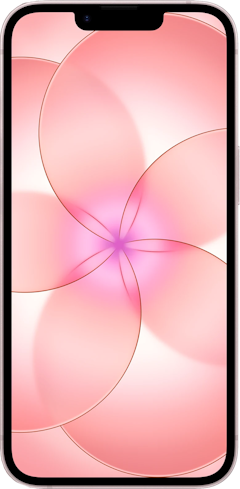
iPhone 16 128GB
- 6.1 inch display
- Rear Cameras: 48MP, 12MP
- Front Camera: 12MP
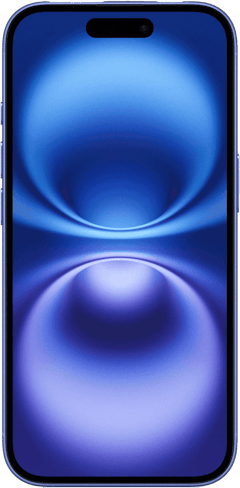
iPhone 17e 512GB
- 6.1 inch display
- Rear Camera: 48MP
- Front Camera: 12MP
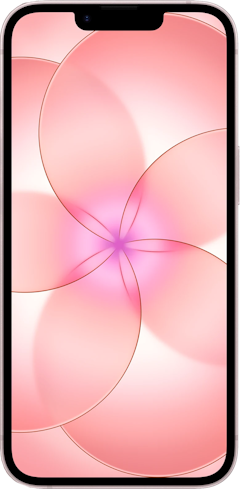
iPhone 17 256GB
- 6.3 inch display
- Rear Cameras: 48MP, 48MP
- Front Camera: 18MP
iPhone Air 256GB
- 6.5 inch display
- Rear Camera: 48MP
- Front Camera: 18MP


iPhone software support: FAQ
Is my iPhone still safe to use if it can't update?
Any iPhone that is no longer receiving any iOS updates or security patches is unsafe to use. An iPhone that is still receiving security-only patches is safe, even if it's missing out on new features.
What happens when an iPhone stops getting updates?
Once Apple stops patching a device completely, any vulnerability stays exploitable indefinitely. Apps will gradually drop support too, starting with the ones that handle sensitive data, like banking and password managers, since those developers tend to require current iOS versions for compliance reasons.
How long does Apple typically support iPhones?
Most iPhone models get five to seven years of major iOS updates, followed by one to two more years of security-only patches. That puts total support life in the six-to-eight-year range, which is long by smartphone industry standards.
Which iPhones still get updates in 2026?
The iPhone 11 and newer models, including the newest iPhone SE (2nd and 3rd generation) models, are compatible with iOS 27. Any devices older than that are either capped at iOS 18 with security-only patches or have aged out of support entirely.
Should I upgrade my iPhone if it stopped getting updates?
Yes, if your iPhone has stopped getting security patches altogether, it's time to upgrade to a new device. If it's still receiving occasional security-only updates, you have some time, but it's smart to start planning your next phone before that support runs out completely.
Max McCaskill
Sr. Staff Writer

Find a better phone plan
Thousands of cell phone plans unpacked. All the facts. No surprises.


.png?w=280&h=280&usm=20&usmrad=0.8&fit=crop "Best Cell Phone Deals for August 2026: Get the New iPhone 17 for Free")

.jpg?w=280&h=280&usm=20&usmrad=0.8&fit=crop "Best Back-to-School Phone Deals 2026: Free iPhones, Tablets, Watches, and More")


