
There are only four things that make an Android phone run hot: Where it's sitting, what's charging it, what's running on it, what software you have, and how old the battery is. The first four take a minute each to address and cost nothing. The last one costs money, so you can check it last.
My Galaxy Z Fold 5 has run hot for three of those four reasons. Two were my fault, and one was a charging cable I bought at a gas station outside Ely, Nevada, which, without me realizing it, made my phone heat up.
Let's jump into quick fixes for when your phone overheats.
Quick checklist: How to cool down an overheating Android phone
Here's the short version if your phone is hot in your hand right now:
- Take the case off and unplug it from the charger.
- Get it out of the sun and into shade or air conditioning.
- Power it down completely for a few minutes if it's too hot to hold.
- Check Settings > Battery for an app near the top you haven't been using.
- Install any pending software update, then restart the phone.
- Check your battery health if the phone runs warm doing almost nothing.
1. Get your phone out of the heat
An Android phone sitting in direct sunlight or a parked car will overheat no matter how little is running on it. So the first fix is to move it somewhere cooler.
Sometimes the phone is fine, and the problem is where it's sitting. Samsung and Google both set the normal operating range at ambient temperatures between 32 and 95 degrees Fahrenheit, and a car parked in July sun blows past that in about fifteen minutes most places.
Nothing clever is required here. Take the case off so the phone can actually shed heat, move it into shade or bring it indoors, and power it down if it's too hot to hold comfortably.
Why is overheating bad for your phone?
A warm Android phone is normal, and it stays that way until the heat starts costing you something. Past a certain point, your phone starts protecting itself. It throttles the processor, pauses charging, and runs more slowly than it should. You notice the slowdown. The battery damage is the part you don't notice, and it doesn't repair itself when the phone cools down.
2. Replace your charger and cable
A phone that gets uncomfortably hot every single time you plug it in has a charger problem, not a phone problem.
Some warmth while charging is normal because pushing that much power into a battery always makes heat. But an uncomfortably hot phone every charging session is not normal.
Cheap uncertified bricks and frayed cables are usually the culprit. Power delivered inefficiently comes out as heat, and a six-dollar charger is inefficient in ways you can feel through the back of the phone. Use a USB-C charger and cable rated for your phone's actual charging speed.
Our guide to the best Samsung accessories covers the wall chargers and power banks worth buying.
3. Find the app that's running hot
Your Android phone keeps a record of which apps draw the most power, and an app overheating your phone will sit near the top of that list.
- Galaxy: Settings > Battery > View details
- Pixel: Settings > Battery > Battery usage
Recording 4K video, running GPS navigation, playing anything demanding, and using your phone as a hotspot all work the processor hard, and there's no bug to fix. That's just physics asking you to do one thing at a time.
If nothing on that list looks suspicious, the problem is probably in the software underneath it.
4. Update your software, then restart
Overheating bugs usually get fixed in a monthly security patch, so update an out-of-date Android phone before you try anything more involved.
A flaw in a system update can leave background processes running longer than they should. Phones run hot for weeks over things Samsung and Google have already patched.
- Galaxy: Settings > Software update > Download and install
- Pixel: Settings > System > Software update
An update can also be the cause instead of the cure. Restart the phone, then give it a full day, because Android re-optimizes in the background after a big update, and a lot of that heat settles on its own.
Samsung's July 2026 update is overheating some Galaxy phones
If your Galaxy has been running hot since you updated, you're not alone. Owners on One UI 8.5 with the July 2026 security patch have reported severe overheating and rapid battery drain, mostly on the Galaxy S25 Ultra, S24 Ultra, and Galaxy Z Fold 7.
Several owners on Samsung's community forum traced it to WhatsApp getting stuck in an encrypted backup that never finishes. Canceling that backup brought idle drain back to normal. Others had to turn off encryption for chat backup, run a full backup, then switch encryption back on. The setting lives under WhatsApp > Settings > Chats > Chat backup.
Samsung hasn't acknowledged the issue publicly, which means a fix is more likely to show up quietly in a future patch than in a statement.
5. Check your battery health
An Android phone that runs warm while doing almost nothing usually has a worn battery, and both Galaxy and Pixel phones will tell you the battery's condition in under a minute.
Cell phone batteries lose capacity as they age, and an aging battery cell has higher internal resistance. More power moving through it turns into heat instead of power.
Galaxy: Samsung Members > Support > Phone diagnostics > Battery status
Pixel 8a and newer: Settings > Battery > Battery health
Weak or Bad on a Galaxy and Reduced on a Pixel mean the same thing. Both mean your battery is below 80 percent of its original capacity and due for replacement. No setting fixes a worn-out cell, so don't let anyone talk you into a battery calibration app.
A Pixel 7 or older won't report capacity at all, so a repair shop is the only way to know where you stand.
If your battery is still healthy, capping the charge slows the decline:
- Galaxy: Settings > Battery > Battery protection > Maximum
- Pixel 6a and newer: Settings > Battery > Battery health > Charging optimization > Limit to 80%
To fix a bad battery: Replace the battery or the phone altogether
Heat rarely kills an Android phone outright; it usually kills the battery, which is the cheaper of the two to replace.
A manufacturer warranty may cover a battery that failed from a defect, and a protection plan covers what a warranty won't. Pixel Care+ and Samsung Care+ both replace a worn battery for free once its capacity falls below 80 percent.
If the phone itself is finished, these are the Android phones we'd actually buy right now.
Galaxy A26 5G
- 6.7 inch display
- Rear Cameras: 50MP, 8MP, 2MP
- Front Camera: 13MP
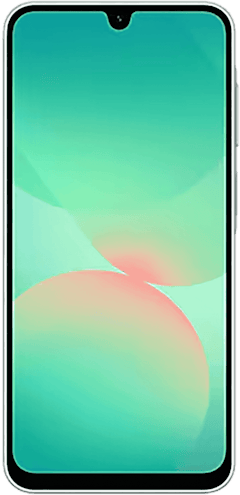
Galaxy A27 5G 128GB
- 6.7 inch display
- Rear Cameras: 50MP, 5MP, 2MP
- Front Camera: 12MP
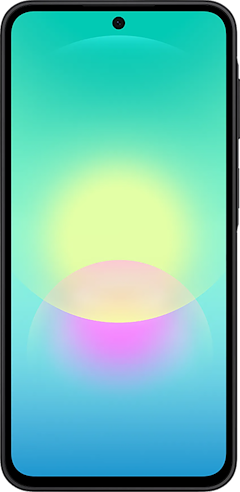
Galaxy A37 5G 128GB
- 6.7 inch display
- Rear Cameras: 50MP, 8MP, 5MP
- Front Camera: 12MP

Pixel 10a 128GB
- 6.3 inch display
- Rear Cameras: 48MP, 13MP
- Front Camera: 13MP

Pixel 9a 128GB
- 6.3 inch display
- Rear Cameras: 48MP, 13MP
- Front Camera: 13MP


Check our best Samsung Galaxy deals and best Google Pixel deals first, though. Nobody should be paying sticker price for a Galaxy in 2026.
Android phone overheating: FAQ
How do I cool down my Android phone fast?
The fastest way to cool an Android phone is to remove the case, unplug it, power it down, and move it to somewhere shaded or air-conditioned. A powered-off overheated phone in still air drops back into its normal range within a few minutes. Closing apps by hand helps less than people expect, because a phone hot enough to throttle itself has already shut down most of that activity on its own.
What does the Android overheating warning mean?
An Android overheating warning means your phone has already started limiting itself to cool down. Samsung Galaxy phones show a "Device cooling down" message, then dim the screen, close running apps, stop charging, and may drop Wi-Fi and cellular connectivity. Pixel phones throttle in the same way and shut down entirely if internal temperatures exceed Google's thresholds.
Why does Android Auto overheat my phone?
Android Auto overheats phones because it runs several power-hungry systems at once. Wireless Android Auto adds full-screen mirroring over Wi-Fi to a phone that's already handling GPS, mobile data, and audio. A wired USB-C connection and a vent mount fix it for most drivers.
What temperature is too hot for an Android phone?
Most Android phones are built for ambient temperatures up to 95 degrees Fahrenheit. Google recommends avoiding anything above 113 degrees, and a parked car can easily reach that in summer.
Can overheating damage my Android battery permanently?
Yes, sustained heat permanently reduces lithium-ion battery capacity. Every hour a battery spends hot at a high state of charge speeds up its chemical aging, which is why charging on a hot dashboard is worse for a battery than the heat alone.
Why does my phone show an overheating message when it feels cool?
An overheating message on a cool phone usually means a failed internal temperature sensor. Water exposure and charge port damage are the two most common causes, and the phone keeps throttling itself because it believes the false reading. This one needs a repair shop, not a settings change.
Scott Houghton
Jr. Staff Writer

Find a better phone plan
Thousands of cell phone plans unpacked. All the facts. No surprises.


.png?w=280&h=280&usm=20&usmrad=0.8&fit=crop "Best Cell Phone Deals for August 2026: Get the New iPhone 17 for Free")
